
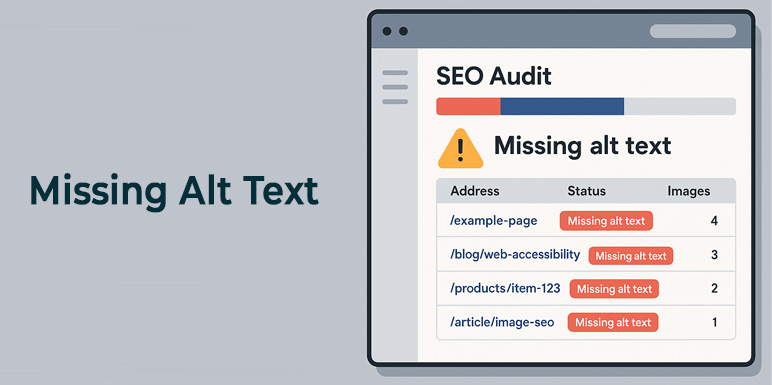
A missing alt text audit is one of the fastest ways to improve your website’s SEO and one of the most overlooked SEO tasks. Most website owners assume their images have alt text. Most are wrong.
A missing alt text audit almost always turns up the same thing: hundreds of images – product photos, blog headers, team shots – that were uploaded and forgotten. No description. No keyword signal. Invisible to Google Image Search and inaccessible to screen reader users.
The good news: auditing for missing alt text takes less than 10 minutes when you know where to look.
In this guide, you’ll learn exactly how to find every image on your WordPress site that’s missing alt text – using Google Search Console, browser tools, and a dedicated plugin – then fix them all without touching each one manually. This guide will show you how to perform an audit missing alt text process step by step.
Why Missing Alt Text Is an SEO and Accessibility Problem
Before jumping into the audit, it’s worth understanding what you’re actually losing.
For SEO:
Every image without alt text is a missed ranking opportunity. Google uses alt text to understand what an image depicts, which determines whether it shows up in Google Image Search – the second-largest search engine in the world. A WooCommerce store with 300 untagged product images has 300 invisible assets.
Beyond image search, alt text contributes to the overall topical relevance of a page. A page about running shoes that has 8 product images – all with empty alt text – is sending Google weaker signals than a page where every image confirms the topic.
For Accessibility:
The Web Content Accessibility Guidelines (WCAG 2.1) require that all meaningful images have a text alternative. Screen readers used by visually impaired users rely entirely on alt text to describe images. Missing alt text means those users hit a wall – or hear a useless filename like “IMG_4821.jpg” read aloud.
For Legal Compliance:
Several brands – including large retailers – have faced ADA lawsuits specifically citing missing image alt text as a barrier to accessibility. This is not a theoretical risk.
A missing alt text audit is how you find and close all of these gaps at once.
Audit Missing Alt Text — What It Covers
A complete audit checks three things:
1. Images with no alt attribute at all – the alt tag is completely absent from the HTML
2. Images with empty alt text – alt=”” is present, but blank (this is correct for decorative images only)
3. Images with low-quality alt text – filenames used as alt text (e.g., IMG_4821.jpg ), generic labels (e.g., “image”, “photo”), or keyword-stuffed strings
Most quick audits only catch #1. A thorough audit catches all three.
Method 1 – Audit with Google Search Console (Free)
Google Search Console won’t give you a direct “missing alt text” report, but it tells you which images Google has indexed – and which it hasn’t. Unindexed images are often a sign of missing or poor alt text.
Step 1 – Open Google Search Console
Go to search.google.com/search-console and select your property.
Step 2 – Check the Coverage Report
Go to Index Pages. Look for pages flagged as having issues. Pages with many unindexed images may have missing alt text across the board.
Step 3 – Use the URL Inspection Tool
Enter a specific page URL and click Test Live URL. Scroll down to see which resources Google could and couldn’t access. This won’t list alt text specifically, but it shows you whether images are being crawled.
Step 4 – Check Rich Results for Images
Go to Enhancements in the left sidebar. If you have image-heavy content (recipes, products, articles), look for image-related rich result errors – these often trace back to missing alt text or structured data gaps.
Method 2 – Audit with Browser Tools (Free, No Plugin Required)
For a quick single-page audit, your browser’s developer tools are enough.
Step 1 – Open the Page You Want to Audit
Navigate to the page in Chrome or Firefox.
Step 2 – Open Developer Tools
Press F12 (Windows) or Cmd + Option + I (Mac) to open DevTools.
Step 3 – Run a Console Query
Click the Console tab and paste this command:
document.querySelectorAll(‘img:not([alt]), img[alt=””]’).forEach(img => console.log(img.s
Press Enter. This prints the URL of every image that either has no alt attribute or has an empty alt attribute.
Step 4 – Review the Output
Each URL listed is an image that needs attention. Copy the list and use it as your fix checklist for that page.
Method 3 – Full Site Audit with Image Alt Text Pro (Fastest)
For a WordPress site with more than 20 pages, doing a page-by-page browser audit is impractical. The Image Alt Text Pro plugin gives you a full media library audit in one screen.
Step 1 – Install Image Alt Text Pro
Go to WordPress Dashboard Plugins Add New. Search for Image Alt Text Version. Install and activate the free version.
No API key is required to run the audit.
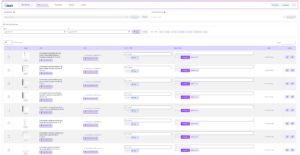
Step 2 – Open the Image Dashboard
Go to Image Alt Text Pro Dashboard in your WordPress admin menu.
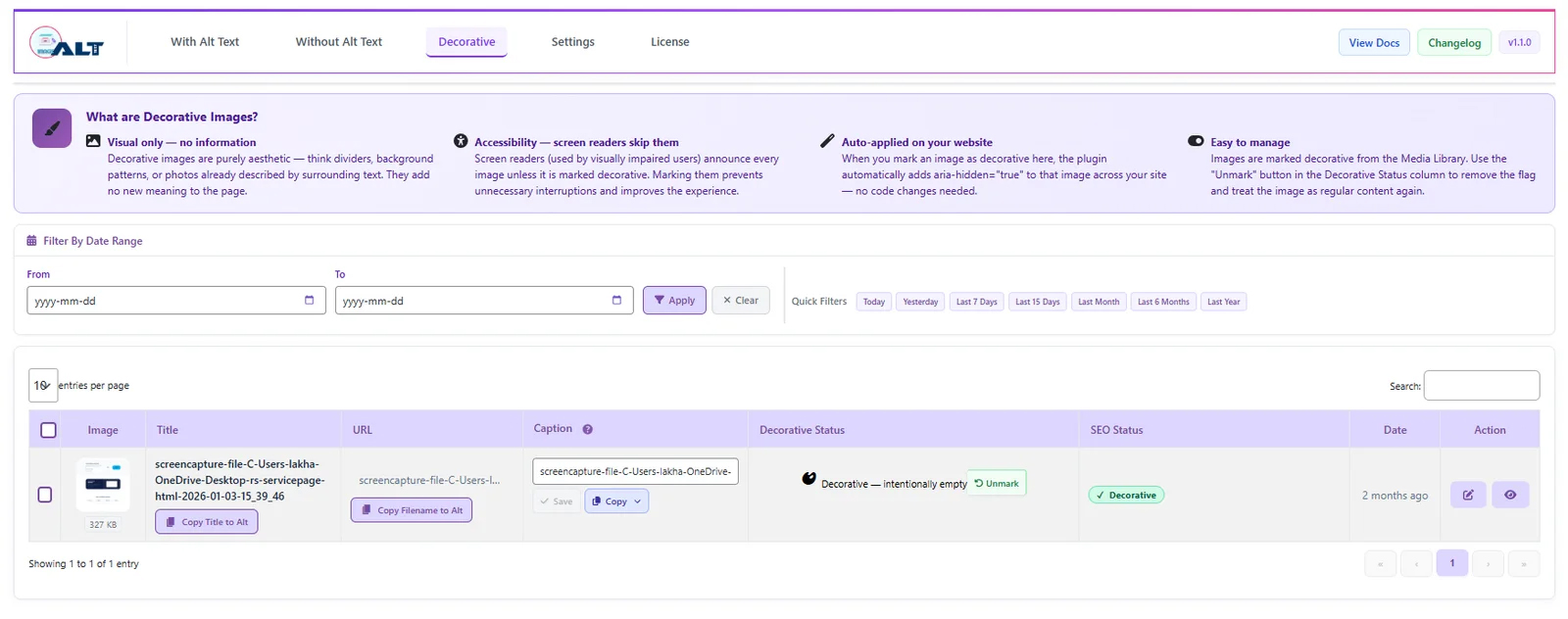
You’ll see three tabs:
- With Alt Text – images that already have a description
- Without Alt Text – images missing alt text (this is your audit list)
- Decorative – images intentionally marked as decorative
Step 3 – Review the “Without Alt Text” Tab
Click Without Alt Text. The plugin shows every image in your media library that has no alt text – with a thumbnail, filename, and the post or page it’s attached to.
This is your complete audit result. You can see at a glance:
- How many images are missing alt text
- Which images they are
- Where on your site they appear
Step 4 – Check the SEO Validator Score
Click any image to open the detail view. The 100-Point SEO Validator shows a score for that image with specific issues flagged:
- Missing alt text (critical)
- Alt text too short or too long
- No focus keyword present
- Generic filename used as alt text
Each issue has an actionable recommendation, not just a warning.
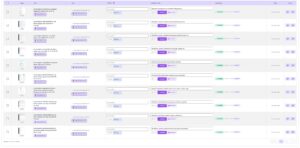
Method 4 -Audit with a Crawl Tool (Screaming Frog or Ahrefs)
For larger sites or agencies managing multiple clients, a dedicated SEO crawler gives you a spreadsheet-ready export.
Screaming Frog (Free up to 500 URLs)
1. Download and open Screaming Frog SEO Spider
2. Enter your site URL and click Start
3. Once the crawl completes, click the Images tab at the top
4. Click Filter Missing Alt Text
5. Export the results as a CSV
The export gives you: image URL, the page it appears on, and the current alt text (or blank if missing).
Ahrefs Site Audit
If you have an Ahrefs subscription:
1. Go to Site Audit All Issues
2. Search for “alt text” in the issues filter
3. Ahrefs flags: images with no alt text, images with empty alt text, and images with alt text longer than 100 characters
Both tools give you a comprehensive list – but neither fixes the alt text for you. That’s the next step.
How to Fix Missing Alt Text After Your Audit
Once you have your list, you have three options depending on the volume:
Option A – Fix Individually in the Media Library (Small Sites)
For fewer than 50 missing images:
1. Go to WordPress Media Library
2. Click each image
3. Fill in the Alt Text field on the right panel
4. Click Update
Time-consuming, but gives you full manual control.
Option B — Fix in Bulk with One-Shot Action Processing (Best for Most Sites)
For 50–5,000 missing images, use the One-Shot Bulk feature in Image Alt Text Pro:
1. Go to Image Alt Text Pro and look for drop down One Shot Action
2. The plugin automatically targets only images in the “Without Alt Text” list – it won’t overwrite existing alt text
3. Choose your AI provider (OpenAI, Gemini, Claude, or Hugging Face) or use the free Copy Title / Copy Filename method
4. Click Start Processing
5. Keep the tab open – processing runs in your browser sequentially with a live progress bar
For a 200-image library, this typically takes 3–8 minutes. When it finishes, your “Without Alt Text” tab will be empty.
Option C – Prevent Future Issues with Auto-Add on Upload (Pro)
Once your existing library is clean, turn on Auto-Add on Upload in Settings.
Every new image uploaded to WordPress automatically receives alt text before it’s inserted into any post or page. You’ll never need to run this audit again for new content.
How Often Should You Audit Missing Alt Text?
| Site Type | Recommended Frequency |
|---|---|
| Blog (frequent uploads) | Monthly |
| WooCommerce store (new products regularly) | Weekly or use Auto-Add on Upload |
| Brochure / static site | Quarterly |
| News or media site | Weekly |
If you’re using Auto-Add on Upload, ongoing manual audits become optional – the plugin prevents missing alt text from accumulating in the first place.
Alt Text Audit Checklist
Use this before and after every audit to make sure nothing is missed:
- All images in the media library have an alt text attribute
- No images use filenames as alt text (e.g., IMG_4821.jpg )
- No images use generic labels (“image”, “photo”, “graphic”)
- Decorative images (spacers, dividers, icon backgrounds) have alt=”” – intentionally empty
- Product images include the product name and a key attribute (colour, material, model)
- Blog header images describe the visual content, not the article topic
- Focus keyword appears naturally in alt text for key images on SEO-targeted pages
- No alt text exceeds 125 characters
- Alt text does not repeat the surrounding caption or paragraph text verbatim