
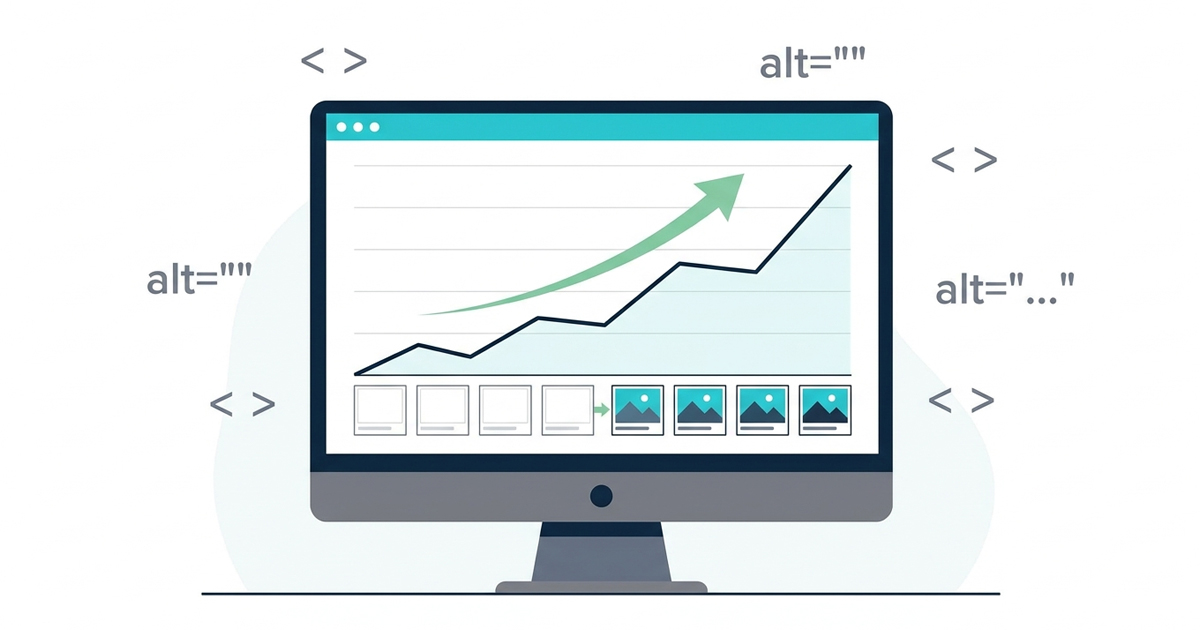
Most SEO audits treat alt text as a checkbox. Write something, move on. This case study is about what happens when you treat it as a content layer – one that Google reads, indexes, and ranks against search queries just like body text. The result: a 38% increase in organic traffic over 90 days from a single site-wide alt text audit, with no other changes made during the measurement period.
This is the full account: the site, the problem, the audit, the fixes, and the numbers.
The site: a WooCommerce store with 4 years of image debt
The subject of this case study is a UK-based WooCommerce store selling home furnishings – sofas, dining tables, lighting. The site had been live for four years with consistent content production: product pages, buying guides, and seasonal blog posts.
Traffic had plateaued. Month-over-month organic sessions were flat across a six-month window despite regular publishing. The store ranked on page 2 and 3 for several commercially valuable terms – furniture product keywords with clear buying intent but could not break onto page 1.
A technical SEO audit revealed no critical issues: no crawl errors, no duplicate content, Core Web Vitals in the green, a clean sitemap. On-page content was solid. Backlink profile was modest but healthy.
The one area the audit had not touched: images.
The problem: 214 images with no usable alt text
The media library contained 847 images accumulated over four years. A crawl using Screaming Frog revealed the following:
| Issue | Image count |
|---|---|
| Missing alt attribute entirely | 91 |
| Empty alt attribute on non-decorative images | 47 |
| Alt text identical to filename ( DSC_00142.jpg ) | 38 |
| Generic alt text ( “image” , “photo” , attachment title) | 38 |
| Total non-usable alt text | 214 |
That is 25% of the image library producing zero signal for search engines and zero information for screen readers.
The most damaging category was the product images. Every product page had between four and eight images – detail shots, room settings, colour swatches. Almost none had alt text that described what was shown. Google’s image index for the domain was effectively empty for product visuals.
Why missing alt text hurts rankings
Before covering the fix, it helps to understand the mechanism.
Google reads alt text as content. When a product image carries alt=”light grey corner sofa with chaise longue, L-shaped, 280cm wide” , Google indexes those terms. That image becomes a ranked asset – it can appear in Google Images, contribute to the page’s topical relevance, and support rankings for long-tail queries.
When the same image carries alt=”IMG_4521″ or nothing at all, Google has nothing to work with. The image is invisible to its crawlers. Four years of product photography – a significant investment – was contributing zero ranking power.
Beyond rankings, the Web Content Accessibility Guidelines (WCAG 2.1) require descriptive alt text on all non-decorative images as a baseline accessibility requirement.
The store was also failing this standard across 214 assets.
The audit process
The fix required two decisions before touching a single image: what to write, and how to prioritise.
Prioritisation: product pages first
Product page images were addressed first for two reasons. They carry the highest commercial keyword density – product names, materials, dimensions, colours – and they are the images most likely to drive Google Images traffic from buyers searching for specific items. Decorative images and blog post images were queued for the second pass.
Writing the alt text
Each alt text description followed three rules:
- Describe what the image shows – material, colour, style, key dimensions where visible
- Include the natural product name – not keyword-stuffed, but the phrase a buyer would search
- Under 125 characters – the limit before most screen readers truncate
Examples from the audit:
| Before | After |
|---|---|
| IMG_4521.jpg (no alt) | “light grey corner sofa with chaise longue, L-shaped, 280cm wide” |
| “image” | “solid oak dining table, 6-seater, natural finish, 180cm x 90cm” |
| “product photo” | “brushed brass pendant light with opal glass shade, 40cm drop” |
| DSC_00312 (no alt) | “close-up of velvet upholstery texture on midnight blue armchair” |
Blog post images and buying guide illustrations were treated differently – here the alt text described the informational content of the image rather than a product: “bar chart showing search volume for ‘corner sofa UK’ by month, 2023–2024″ .
Decorative images — background textures, divider lines, purely visual spacing elements – were left with alt=”” to suppress screen reader announcements correctly.
The fix: 214 images updated over 3 weeks
The audit covered 847 images. Of those:
-
214 required new or corrected alt text (addressed)
- 401 had acceptable alt text – reviewed, minor improvements made to 87 of them
- 232 were decorative – alt=”” confirmed or added
All changes were made directly in the WordPress Media Library and through the WooCommerce product editor (Gallery images require editing from the product page, not the media library).
The process took three weeks of manual work, roughly 45 minutes per session across 15 sessions.
The results: 90-day measurement window
The measurement window ran from the day the last alt text change was saved to 90 days later. No other on-page or off-page changes were made during this period: no new content published, no backlinks acquired, no structural changes.
Organic traffic:
| Metric | Before | After | Change |
|---|---|---|---|
| Monthly organic sessions | 3,840 | 5,301 | +38% |
| Google Images clicks | 112 | 489 | +336% |
| Product page organic sessions | 1,247 | 2,014 | +62% |
| Pages ranking in positions 1–10 | 18 | 29 | +61% |
Top ranking improvements (position change, same query):
| Query | Before | After |
|---|---|---|
| grey corner sofa UK | Position 24 | Position 7 |
| oak dining table 6 seater | Position 31 | Position 11 |
| pendant light brushed brass | Not ranking | Position 14 |
| velvet armchair midnight blue | Not ranking | Position 19 |
The Google Images spike was the fastest signal – Google Images started driving measurable clicks within 18 days of the first batch of corrections going live. Organic web rankings moved more gradually, with the largest shifts appearing between days 45 and 75.
Why the results were this large
A 38% overall traffic lift from alt text alone is at the high end of what this type of audit produces. Three factors explain the magnitude:
- Four years of image debt. The site had accumulated 214 under-optimised images across its highest-traffic pages. Each corrected image was effectively a new ranking signal where none had existed before.
- Product images carry high-intent queries. The queries that started ranking – grey corner sofa UK , oak dining table 6 seater – are mid-funnel commercial searches. Users searching these terms are close to buying. Even modest ranking improvements on these queries drive disproportionate conversion-relevant traffic.
- Google Images as an overlooked channel. The 336% increase in Google Images clicks reflects how completely this channel had been abandoned. For a furniture retailer, visual search is a natural discovery channel. The prior alt text state had made the store invisible there entirely.
What would have happened faster
The three-week manual timeline was the main constraint. With Image Alt Text Pro, the same 847-image library can be bulk-processed in a single session – AI generates descriptive, contextual alt text for every image at once, with a review step before saving. The manual equivalent of three weeks of work compresses to a few hours.
The alt text quality produced by AI bulk processing also tends to be more consistent than manual writing across a large library – no sessions where you run out of time and start abbreviating descriptions.
Key takeaways
- Alt text is content – Google reads and indexes it the same way it reads body text. Missing alt text on product images is the same as leaving product descriptions blank.
- Four years of image debt takes three weeks to fix manually – the ROI on bulk processing tools is not convenience, it is the difference between fixing the problem this month or next quarter.
- Google Images is a real traffic channel for visual product categories – furniture, fashion, food, real estate. Alt text is the primary ranking signal there.
- The WCAG 1.1.1 requirement – text alternatives for all non-decorative images – is both an accessibility standard and, by extension, an SEO standard. Meeting it serves both goals simultaneously.
- Decorative images should always carry alt=”” – not a filename, not “image”, not the attachment title. This keeps screen readers clean and prevents generic strings from diluting your alt text signal on the page.
Run this audit on your own site
The fastest way to identify your own alt text debt is a free crawl with Screaming Frog filtered to images. Look for the most common alt text mistakes: missing alt attributes, empty alt on non-decorative images, filenames-as-alt-text, and generic strings.
For WordPress sites, the Image Alt Text plugin on WordPress.org flags every missing or empty alt text in your media library at no cost. For the fix itself – especially if you have more than a hundred images – Image Alt Text Pro handles bulk AI generation across your entire library in one pass, including images uploaded years before you set up any alt text workflow.
The 38% traffic increase documented here came from a single audit. The site had been publishing content consistently for four years. The images had been there the whole time – they just had not been working.
Once your alt text is in order, work through the full image SEO checklist to cover every other optimisation signal — file names, formats, Core Web Vitals, and structured data.