
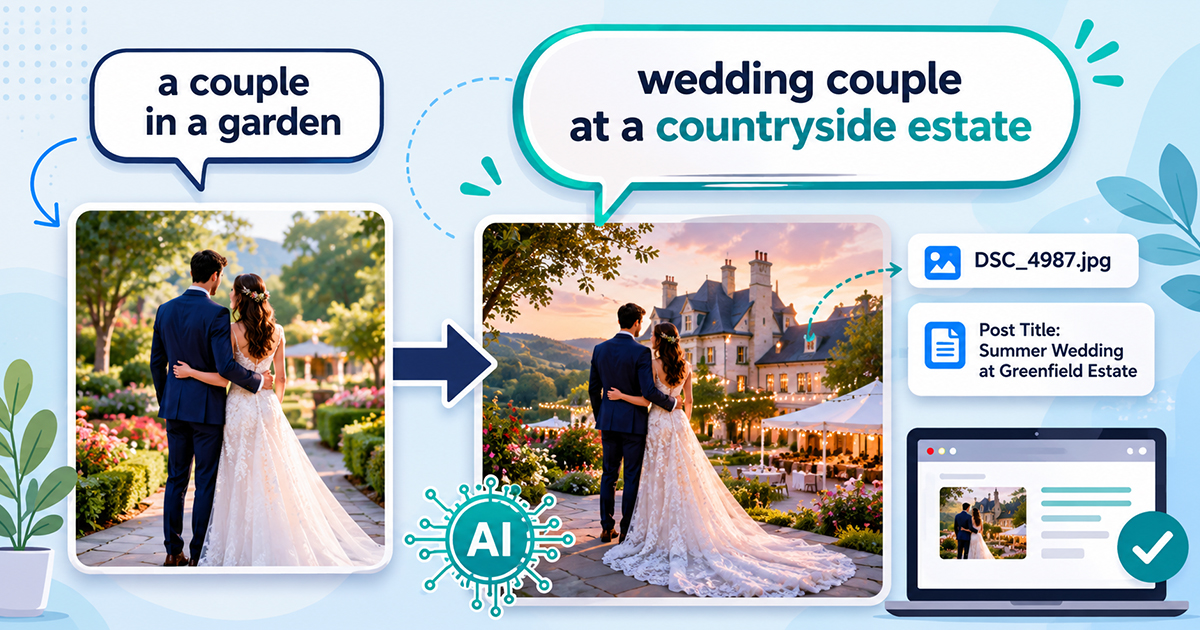
AI alt text generators are good at one thing: describing what is in the picture. Show one a photo and it will tell you there is a couple standing in a garden, or a boat on the water, or a plate of food on a table. That is genuinely useful, and for a lot of images it is all you need.
But it has a blind spot. The AI cannot see the things that are not in the frame. It does not know the name of the garden. It does not know the model of the boat. It does not know the town the photo was taken in. So it writes “a couple standing in a garden” when what you actually wanted was “wedding couple at Landgoed Nienoord estate.”
That missing piece is image alt text context, and until recently there was no clean way to hand it to the AI. Now there is.
Why the AI keeps leaving out the important words
Think about how the AI receives your image. It gets the picture and a general instruction like “write concise, SEO-friendly alt text.” That is it. Everything the AI knows about your image, it has to work out from the pixels.
A human writing that alt text would know far more. They would know the file was called nienoord-wedding-julia-mark.jpg . They would know it was attached to a blog post titled “Julia and Mark, married at Landgoed Nienoord.” All of that is real, factual information that lives right there in your WordPress Media Library. The AI just never got to see it.
This is why photographers, real estate sites, and product catalogs so often feel that AI alt text is “close but generic.” The description is accurate, it is simply missing the proper nouns that make it valuable for search and for the people who rely on screen readers.
Good alt text does two jobs at once: it meets an accessibility requirement described by the W3C, and it gives Google a text signal about your image. Both jobs are stronger when the real names are in there.
The fix: send the filename and post title along with the image
Image Alt Text Pro can now pass two extra pieces of information to the AI when it generates alt text:
- The filename – Most filenames carry real meaning, especially on product and portfolio sites. A file called 19-gx-fishing-boat-side.jpg tells the AI exactly what it is looking at.
- The attached post or page title – If the image is attached to a post, the post title usually describes the subject, the event, or the location.
When you turn this on, the AI is no longer guessing in the dark. It can line up what it sees in the image with the words you already gave the picture, and write alt text that names the real thing.
You will find this under the AI settings as “Send image context to AI.” It is off by default, because it means some information about your page leaves your site along with the image. You decide whether to switch it on. For most portfolio, property, and catalog sites, it is well worth it.
A real example
A wedding photographer we work with attaches every photo to a blog post, and the post title always contains the venue name. Before, the AI wrote solid but generic descriptions of each couple and each room. After switching on image context and keeping the post title enabled, the alt text started naming the actual venues. The venue name is exactly the kind of local search term couples type in, and it was being left out of every single image until the AI was allowed to see the post title.
The same idea works for an online store. If your product images are attached to product pages, the product name flows straight into the alt text. If your filenames are your SKUs or model names, those carry through too.
One honest limitation to know about
The post title can only be sent when the image is actually attached to a post. WordPress records that link when you upload an image from inside the post editor. It often does not record it when you:
- upload straight to the Media Library, or
- place images through a page builder like Elementor, Bricks, or Divi, or
- reuse one image across several posts.
In those cases the filename still gets sent (that always works), but the post title may be blank. This is not a bug, it is just how WordPress tracks attachments.
The takeaway: keep your filenames meaningful, because the filename is the piece you can always rely on.
Getting the most out of image alt text context
- Name your files like a human would – oak-dining-table-walnut-finish.jpg beats IMG_4821.jpg every time, and now that name actually reaches the AI.
- Attach images to their posts – when you can, so the post title travels with them.
- Pair it with a good prompt – If you write a custom prompt, you can tell the AI to use the location or product name from the context you send. It works together.
Two related settings build on this one. Context strength controls how boldly the AI uses the context you send it, and alt text prefixes and postfixes let you wrap a brand or category around every description automatically. Together they give you fine control over how much of your own information ends up in the final alt text.