
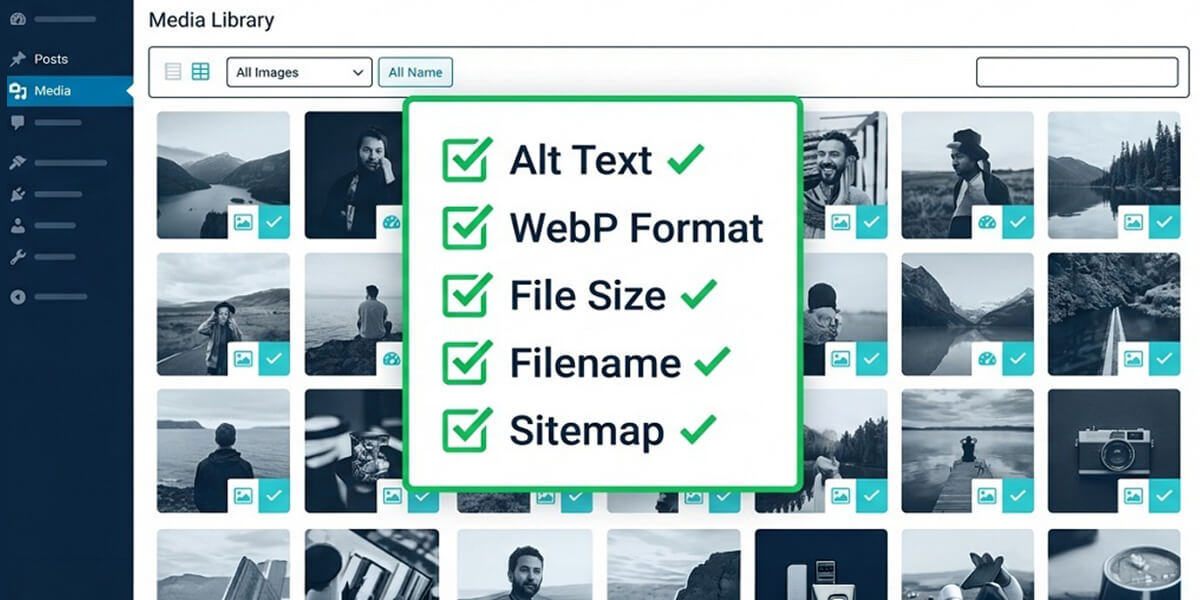
Most SEO guides focus on titles, meta descriptions, and backlinks. Images often get ignored.
That is a costly oversight. Poorly optimised images slow down websites, weaken accessibility, and leave valuable Google Images traffic untapped. This updated image SEO checklist for 2026 explains how to optimise images properly – from filenames and formats to loading performance and structured data.
Follow this checklist once and you will immediately notice areas most websites neglect.
Why Image SEO Matters More Than Ever
Image search continues to drive a significant share of search traffic. Users searching for products, tutorials, recipes, comparisons, and guides frequently interact with image results before standard listings.
Well-optimised images improve:
- Website speed – faster-loading pages perform better in search rankings
- Accessibility – descriptive images improve usability for screen readers
- Search relevance – images help search engines understand page context
Image SEO is not complicated. Most improvements come from following a consistent workflow.
The Complete Image SEO Checklist for 2026
1. Rename image files before uploading
File names help search engines understand image content. Generic names like IMG_001.jpg provide no useful context.
Best practices:
- Use descriptive words that match the image
- Separate words using hyphens
- Keep filenames concise
- Add keywords naturally when relevant
| Incorrect | Correct |
|---|---|
photo1.jpg |
wordpress-image-settings.jpg |
final-image.png |
seo-audit-dashboard.png |
image-copy.webp |
image-seo-checklist-2026.webp |
This small habit improves image discoverability immediately.
2. Use modern image formats
Modern formats like WebP and AVIF reduce file sizes significantly while maintaining image quality. Smaller images improve loading speed and Core Web Vitals performance.
Most modern WordPress installations already support WebP uploads. If not, plugins such as ShortPixel or Imagify can automate conversion.
3. Compress images before uploading
Large image files create unnecessary page weight. Compressing images before upload improves loading times without noticeable quality loss.
Recommended tools:
- Squoosh – browser-based image compression
- TinyPNG – simple drag-and-drop optimiser
- ShortPixel – automatic WordPress compression
Suggested file size targets:
| Image Type | Recommended Size |
|---|---|
| Hero images | Under 300 KB |
| Article images | Under 150 KB |
| Icons and thumbnails | Under 40 KB |
| Product images | Under 200 KB |
4. Add descriptive alt text
Alt text helps search engines and screen readers understand image content. It is one of the most important image SEO signals.
Tips for writing effective alt text:
- Describe the image accurately
- Keep descriptions concise
- Use keywords naturally
- Avoid keyword stuffing
- Do not repeat the same alt text across multiple images
<!-- Poor example -->
<img src="dashboard.webp" alt="image">

<!-- Better example -->
<img src="wordpress-dashboard.webp" alt="WordPress dashboard displaying image SEO settings">
Decorative images should use an empty alt attribute: alt="".
5. Upload images at correct dimensions
Uploading oversized images wastes bandwidth and slows page performance. Resize images to match the maximum display size used by your theme.
- Resize before uploading
- Use responsive image support
- Regenerate thumbnails after theme changes
6. Enable lazy loading
Lazy loading delays off-screen image downloads until users scroll to them. This reduces initial page load time significantly.
Most modern CMS platforms already support native lazy loading.
Important: Avoid lazy loading your main hero image because it may negatively affect Largest Contentful Paint (LCP).
7. Prioritise hero images
Your main above-the-fold image often becomes the page’s LCP element. Preloading it helps browsers fetch it faster.
<link rel="preload" as="image" href="/images/hero-image.webp" fetchpriority="high">This optimisation can noticeably improve Core Web Vitals scores.
8. Use captions where useful
Captions provide additional context for charts, tutorials, infographics, and comparison images. They are frequently read by users scanning content.
Keep captions short, useful, and directly related to the image.
9. Add structured data for images
Structured data helps search engines understand image relationships within products, recipes, articles, and tutorials.
Useful schema types include:
- Product schema
- Recipe schema
- Article schema
- ImageObject schema
SEO plugins like Rank Math and Yoast can automate most of this process.
10. Include images in XML sitemaps
Image sitemaps help search engines discover media content more efficiently.
<url>
  <loc>https://example.com/page/</loc>
  <image:image>
    <image:loc>https://example.com/uploads/image.webp</image:loc>
  </image:image>
</url>
Most SEO plugins automatically include image data in XML sitemaps.
11. Match surrounding text with image context
Search engines analyse nearby text to understand images. Images should appear close to the content they support.
Ensure headings, paragraphs, filenames, and alt text all reinforce the same topic.
12. Audit older images regularly
Older media libraries often contain missing alt text, oversized files, and generic filenames.
Regular image audits help identify:
- Missing alt attributes
- Oversized images
- Poor filenames
- Slow-loading assets
Updating older images can produce noticeable SEO and performance improvements.
Quick Image SEO Reference Checklist
| # | Task | Priority |
|---|---|---|
| 1 | Rename image files before upload | High |
| 2 | Use WebP or AVIF formats | High |
| 3 | Compress images | High |
| 4 | Add descriptive alt text | Critical |
| 5 | Resize images correctly | Medium |
| 6 | Enable lazy loading | High |
| 7 | Prioritise hero images | Medium |
| 8 | Add captions where needed | Low |
| 9 | Use image schema markup | Medium |
| 10 | Verify image sitemap entries | Medium |
| 11 | Match image and text relevance | High |
| 12 | Audit existing image library | Critical |